MSP Airport Parking No Ticket: How It Works + Cheapest Rates 2026
MSP airport parking is ticketless — tap your card at entry and exit, or scan a QR code if pre-booked. Learn how the system works, what to do if the gate fails, and how to save up to 67% with off-site lots.
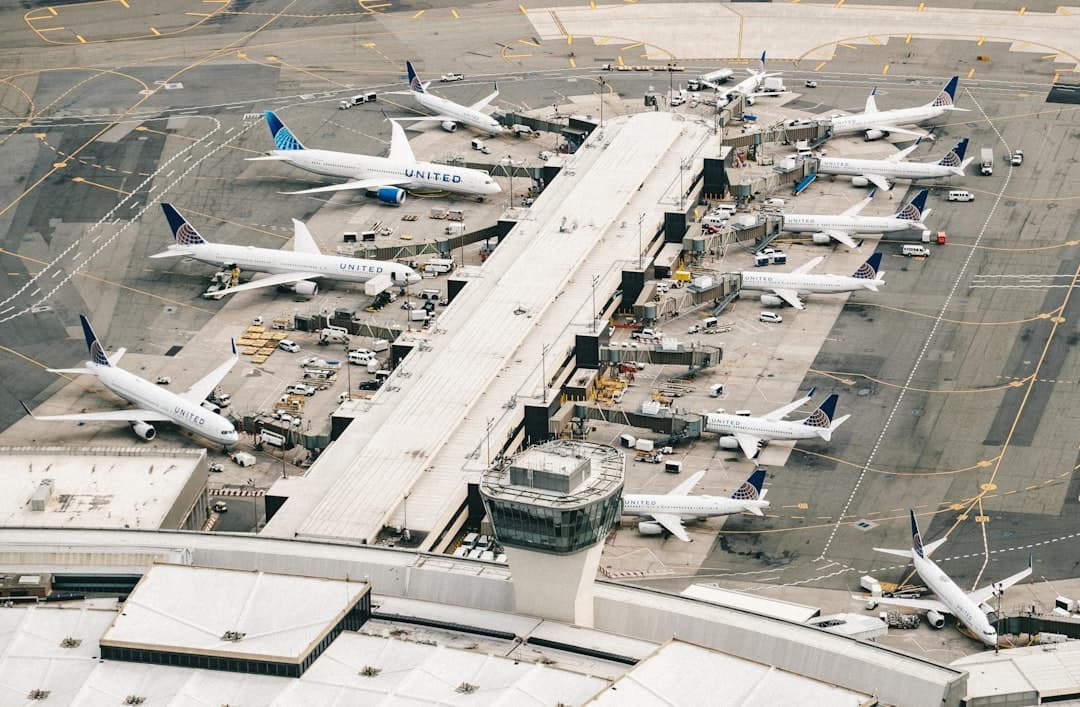
Book MSP airport parking — pick your dates
Pick your dates to search
Quick answer
MSP uses a ticketless, card-based system: tap your credit or debit card at entry and exit, or scan a QR code from a pre-booked reservation. The same payment method must be used at both entry and exit. No paper ticket prints. If your card fails, use the intercom to reach an ABM Parking agent.
Back to MSP Airport Parking Prices Guide | Complete MSP Airport Parking Guide
MSP airport parking no-ticket means Minneapolis-Saint Paul International Airport uses a ticketless, card-based entry and exit system — you tap your credit or debit card at the entry gate, and that same card identifies you when you exit. There is no paper ticket to lose. If you pre-booked parking online, you scan a QR code at both entry and exit instead. First-time visitors often search "no ticket" because they expect a paper stub, then feel confused when none prints. This guide explains exactly how the system works, what to do if something goes wrong, and how to pay the lowest possible rate.
- No paper tickets: MSP uses card-tap or QR-code entry — the same method gets you out.
- Drive-up daily rate: Terminal 1 ramps cost up to $30/day; Value Parking at Terminal 2 costs $21/day; Quick Ride Ramp costs $19/day (verified June 2026).
- Off-site lots start at $9.95/day — up to 67% cheaper than on-airport daily rates.
- If your card fails at exit: use the intercom button to reach an ABM Parking agent for help.
- QR codes from pre-booked reservations let you lock in lower rates and skip any gate confusion.
- ~26,000 parking spaces across on-airport facilities, managed by the Metropolitan Airports Commission (MAC).
How Does MSP Airport Parking Work Without a Ticket?
MSP's parking system is fully ticketless. When you drive into any on-airport ramp, the entry gate reads your credit or debit card as your unique identifier — no paper ticket prints. When you return and drive to the exit lane, you tap the same card and the system calculates your fee automatically.
If you pre-booked a reservation through the MSP official parking portal or a third-party comparison site, you receive a QR code by email or app. Scan it at the entry gate when you arrive, and scan it again at exit. The system matches your code to your reservation and charges the pre-paid rate — no card tap needed at exit if you already paid.
The key rule: use the same payment method going in and coming out. If you tap a Visa card entering on Monday, tap that same Visa card at exit on Friday. Swiping a different card at exit will confuse the system and may trigger a flag at the gate.
This system applies to all named Terminal 1 ramps — Green, Gold, Blue, Red, Silver, Pink, and Brown Ramps — as well as the Quick Ride Ramp and Orange Ramp (Value Parking at Terminal 2). The free Cell Phone Lot, located on the south side of Post Road between the two terminals, has no gate and requires no payment method at all.
What Payment Methods Are Accepted at MSP Parking Gates?
MSP parking gates accept a wide range of payment methods, per the Metropolitan Airports Commission. You can pay with Visa, Mastercard, American Express, Discover, or contactless payment (including Apple Pay and Google Pay). Cash is also accepted but requires a cash-to-card machine inside the ramp before you reach the exit lane.
If you prefer to pay cash, here's the process:
- Park your vehicle and note your entry time from the ramp display.
- Before returning to your car, locate the pay station kiosk inside the ramp or terminal lobby.
- Insert cash to load a pre-paid exit code onto a temporary card.
- Use that card at the exit gate within the time window shown on your receipt.
Contactless payment is the fastest method at the gate. Most travelers find a quick tap on entry and exit takes under five seconds. If you're driving a rental car and used a rental agency card at entry, use that same card at exit — or switch to your personal card only if the gate agent resets your session.
How Do You Enter and Exit MSP Parking Without a Paper Ticket?
The entry and exit process is straightforward once you know what to expect. Here is the step-by-step flow for drive-up parkers:
- Approach the entry gate for your chosen ramp (Green, Gold, Blue, etc. for Terminal 1; Orange Ramp for Terminal 2; Quick Ride Ramp for shuttle parking).
- Tap your credit or debit card on the contactless reader — or insert your chip card. The gate arm rises and your card is logged as your entry identifier.
- Park and note your ramp and level number on your phone or a note. MSP ramps are color-coded and each level is numbered.
- When returning, drive to an exit lane in the same ramp.
- Tap the same card you used at entry. The system calculates your fee and displays the total.
- The gate arm raises and you drive out.
For pre-booked QR code parkers, replace steps 2 and 5 with scanning your QR code at entry and exit. The rate is already locked in from your reservation — no additional payment is collected at exit if you pre-paid in full.
For more detail on which ramp serves which terminal, see our guide on MSP Airport Parking Map Terminal 1, which covers exact ramp locations, pedestrian bridges, and the fastest walking routes to the gates.
What Happens If Your Card or QR Code Doesn't Work at the Exit Gate?
Gate issues are rare but fixable. Every MSP exit lane has an intercom button that connects you to an ABM Parking Management agent, who can look up your entry record by your license plate. You do not need a ticket, card, or QR code to get out — the agent can verify your entry time and process payment over the intercom.
Common problems and quick fixes:
- Wrong card at exit: Press the intercom. The agent matches your plate to your entry record and processes your correct card.
- QR code won't scan: Phone screen brightness matters — turn it up to max. If still failing, press intercom and give the agent your reservation confirmation number.
- Phone battery dead: Press intercom and provide your name and reservation number verbally. ABM agents can look up QR reservations manually.
- Card declined: The agent can accept an alternative payment method via intercom or direct you to a staffed booth.
- Stayed longer than your reservation covers: The gate will calculate the overage charge. Pay it at the exit lane or intercom station before the arm raises.
Do not reverse out of the exit lane — this is both unsafe and can trigger an alarm. Stay calm, use the intercom, and the issue is typically resolved in under three minutes.

How Much Does MSP Airport Parking Cost? (Prebooked vs Drive-Up Rates)
On-airport drive-up rates are set by the MAC. Pre-booking the same ramps through the MSP portal can sometimes save money, but the bigger savings come from off-site lots. Here is a side-by-side comparison (verified June 2026):
| Parking Option | Daily Rate | Distance to Terminal | Shuttle |
|---|---|---|---|
| Terminal 1 Daily Ramps (drive-up) | $30/day | Walk-in (attached) | No shuttle needed |
| Valet Parking (Terminal 1) | $50/day | Door 2, upper east roadway | No shuttle needed |
| Value Parking (Orange Ramp, Terminal 2) | $21/day | Walk-in (attached) | No shuttle needed |
| Quick Ride Ramp | $19/day | Free 24/7 shuttle | Every ~10-15 min |
| Comfort Inn Minneapolis Airport (Park & Fly) | $9.95/day | 8-10 min by shuttle | Free (4 AM–midnight) |
| Fairfield Inn & Suites Minneapolis Airport (Park & Fly) | $10.95/day | 7-10 min by shuttle | Free, 24/7 |
| EZ Air Park | $12.95/day | 5-8 min by shuttle | Free, 24/7, every ~15 min |
| Shepard Road Airport Parking | $14.50/day | 5-7 min by shuttle | Free, 24/7, every 5-10 min peak |
| Park 'N Go (MSP) | $20/day | 8-12 min by shuttle | Free, 24/7, every 5-10 min |
| InterContinental MSP Airport (Garage) | $29/day | 0 min (skyway to Terminal 1) | No shuttle needed |
Off-site lots like Comfort Inn Minneapolis Airport at $9.95/day save you up to 67% compared to Terminal 1 daily ramp rates of $30/day. For a 7-day trip, that difference totals $140 in savings. Most off-site lots use their own app or confirmation email — not MSP's ticketless gate system — so the entry process differs slightly per lot. Always save your confirmation to your phone before you leave home.
For the cheapest long-term options with full shuttle service, our guide on cheapest parking near MSP Airport with shuttle breaks down every lot, shuttle frequency, and booking tip in detail.
Which MSP Parking Ramp Should You Choose for Your Terminal?
Your terminal determines which ramps are closest. Always match your ramp to your airline to minimize walking time after you park.
Flying from Terminal 1 — Lindbergh (Delta, American, United, Alaska, Air Canada, Lufthansa, and others):
- Green, Gold, Blue, Red, Silver, Pink, Brown Ramps — all attach directly to Terminal 1 via skyways or ground-level walkways.
- Gold Ramp is commonly cited as closest to Delta check-in.
- Quick Ride Ramp serves Terminal 1 via free shuttle — good for saving $11/day versus daily ramp rates.
Flying from Terminal 2 — Humphrey (Southwest, Sun Country, JetBlue, Allegiant, Frontier, Icelandair, and others):
- Orange Ramp (Value Parking) — attached to Terminal 2, $21/day, walk-in access.
- Quick Ride Ramp — $19/day, free 24/7 shuttle to Terminal 2 as well.
MSP's METRO Blue Line light rail runs between Terminal 1 and Terminal 2 every ~10 minutes, 24/7, at no charge. If you park at a Terminal 1 ramp but fly from Terminal 2, you can walk to the light rail station (located below the Red, Blue, and Silver ramps) and reach Terminal 2 in minutes.
For a full visual breakdown of ramp locations, see the MSP Airport Parking Ramp Map guide.
How Does the MSP Prebooked Parking QR Code System Work?
Pre-booking MSP parking online assigns you a unique QR code linked to your specific reservation dates, ramp, and rate. This QR code replaces the card-tap system entirely for that session. Here is what the workflow looks like:
- Book through the MSP parking portal or a third-party provider and pay in advance.
- Receive your QR code by email and save it to your phone (screenshot it in case of poor signal at the ramp).
- At the ramp entry gate, hold your QR code up to the scanner. The gate arm rises.
- Park in any available space within your assigned ramp.
- On return, drive to the exit lane and scan the same QR code. If pre-paid in full, the gate opens without additional charges.
- If you stayed longer than your reservation end time, the system charges the overage to your card on file.
Pre-booked parking also typically offers free cancellation up to a set window before your arrival. This matters if your flight is cancelled or delayed — you can modify or cancel without losing money. Always check the cancellation terms when booking, as the cutoff window varies by provider.
For those enrolled in TSA PreCheck, pre-booking parking complements a faster security experience — you're through the gate quickly on both ends of your trip.
MSP Airport Parking Tips for First-Time Visitors
If this is your first time parking at Minneapolis-Saint Paul International Airport, these tips will save you time, money, and stress:
- Screenshot your QR code before leaving home. Cell signal can be weak in ramp structures, and a screenshot loads instantly without data.
- Write down your ramp color and level number on your phone when you park. MSP's ramps are large — Green 3A looks very similar to Gold 3A after a long flight.
- Use contactless payment at entry for the fastest gate experience. Apple Pay and Google Pay both work.
- Don't use a different card at exit. The system matches entry card to exit card. If your wallet has multiple cards, tap the exact same one.
- Allow extra time in winter. Snow and ice slow shuttle pickups at off-site lots and can add 10-15 minutes to your commute from the ramp to the terminal.
- Check ramp status before leaving home during holidays or peak summer travel. MSP's ~26,000-space on-airport system fills during peak periods. Use our guide on MSP airport parking ramp status to check live availability.
- The Cell Phone Lot is free with no time limit for waiting — use it if you're picking someone up instead of paying for short-term ramp parking.
- MSP's $1.9 billion capital improvement program is active through 2028, with $501 million in projects underway in 2026 alone. Signage and access routes near Terminal 2 may shift. Follow posted detour signs near the Terminal 2 North Expansion construction zone.
Following TSA security screening guidelines and arriving with parking already confirmed removes two of the biggest stress points from any airport trip. Pre-booking your spot at MSP takes about two minutes online and guarantees you a space — especially useful for holiday travel when ramps fill early.
Ready to skip the guesswork? Compare MSP airport parking rates from $9.95/day on Triply — find your ramp, confirm your QR code, and park with confidence in 2026.
Compare MSP parking rates — a typical off-airport lot near Minneapolis-Saint Paul International Airport costs about 55% less per day than the airport's own terminal garage.
Frequently Asked Questions
Looking for the complete guide?
MSP Airport Parking from $10/day: Rates & Best Lots 2026More MSP Parking Guides
MSP Airport Parking Hourly: 2026 Rates & Complete Guide
Parking Cost MSP Airport Terminal 2: Full Rate Guide 2026
MSP Airport Long-Term Parking Cost: Full Rate Guide 2026
Parking at MSP Terminal 2 Cost: Full Rate Guide 2026
MSP Airport Parking Cost Per Day: Full Rate Guide 2026

MSP Car Parking Fee: Full Rate Guide 2026
Ready to book your MSP airport parking? Find Parking Now