DFW Airport Parking App: 2026 Guide to Booking & Saving
The DFW Airport parking app lets you prebook parking, track shuttles, and save up to 50% on Terminal, Express, Remote, and Valet lots. Here's how to use it in 2026.
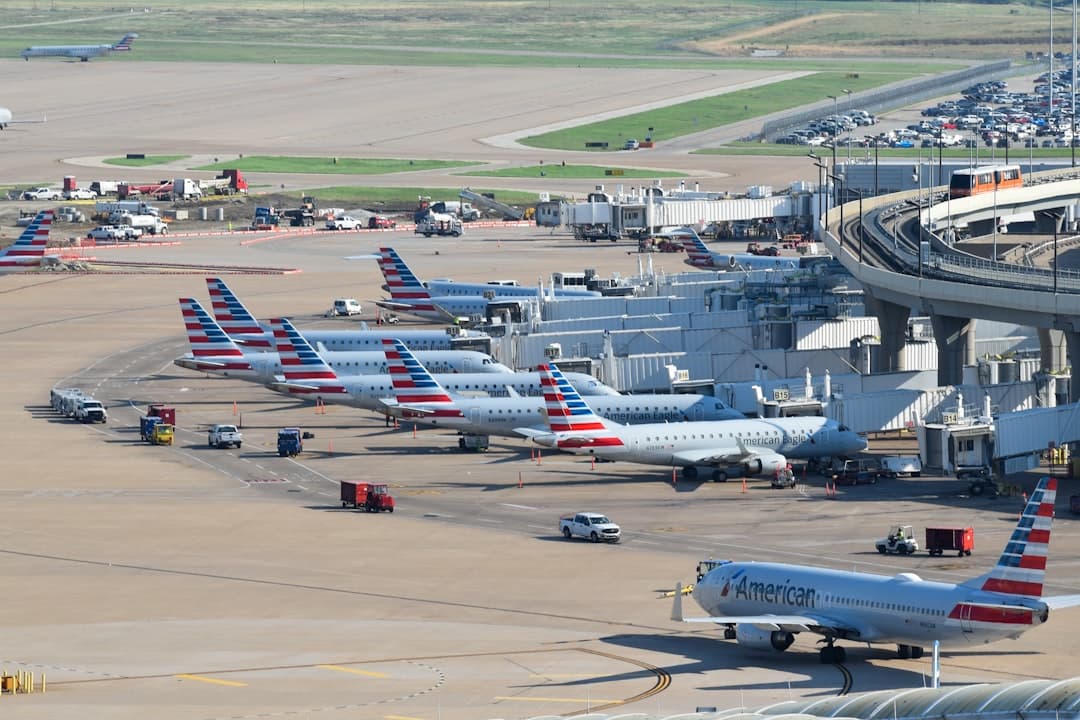
The DFW Airport parking app is the official mobile application for Dallas/Fort Worth International Airport, available free on iOS and Android, that lets travelers prebook parking, check real-time lot availability, track remote shuttles, and navigate terminals — all from one place. Prebooking through the app can save you up to 50% compared to drive-up rates, per DFW Airport's official parking page. It also covers flight status, security wait times, and an interactive terminal map.
- Free to download on both the Apple App Store (iOS) and Google Play (Android).
- Prebook savings up to 50% — Remote Parking drops from $10/day drive-up to as low as $5/day prebooked.
- Real-time shuttle tracking for Remote North and Remote South lots is built into the app.
- All four on-airport parking products — Terminal Garages, Express, Remote, and Valet — are bookable through the app.
- Third-party apps like SpotHero and The Parking Spot app cover off-airport lots the official app does not.
- DFW has ~40,000+ parking spaces across its on-airport facilities — the app helps you find and lock in a spot before you arrive.
Back to DFW Airport Parking: The Complete Dallas Fort Worth Parking Guide 2026
What Is the DFW Airport Parking App and What Can It Do?
The DFW Airport app is an all-in-one travel tool published by the DFW Airport Board — the joint authority of the cities of Dallas and Fort Worth. Parking is one of its most-used features, but it does a lot more than just reservations. Here is what the app covers:
- Prebook parking at Terminal Garages, Express Parking, Remote Parking, and Valet
- Real-time parking availability — see which lots have open spaces before you arrive
- Remote shuttle tracker — follow your shuttle in real time for Remote North and Remote South lots
- Flight status and gate updates — track departures and arrivals across all five terminals
- Security checkpoint wait times — useful for planning how early to leave your parking lot
- Interactive terminal maps — find gates, restaurants, lounges, charging stations, and restrooms
- Ground transportation info — including DART rail, TEXRail, and rental car shuttle details
The app also stores your parking confirmation so you do not need a paper receipt. That is handy at the exit gate when your hands are full of luggage.
Ready to see how DFW app rates stack up against off-airport options? Compare DFW parking rates from $6.95/day on Triply before you book.
How Do You Prebook Parking at DFW Using the App?
Prebooking through the DFW Airport app takes about five minutes. Here is the step-by-step process:
- Download the app — search "DFW Airport" in the Apple App Store or Google Play. It is free.
- Open the app and tap "Parking" from the home screen menu.
- Enter your arrival and departure dates — the app calculates your total stay and shows available options.
- Choose your parking product — Terminal Garage, Express, Remote, or Valet. Rates appear for each.
- Select your lot — for Terminal Garages, pick the one that matches your terminal (e.g., Terminal A Garage for American flights departing Terminal A).
- Enter payment details and confirm. The app accepts major credit cards and links to the DFW Airport payment system.
- Save your confirmation — the app stores your QR code. You do not need to print anything.
On arrival, scan your QR code at the entry gate. On departure, use the same code to exit. The app also lets you modify or cancel reservations before your booking date — useful if your travel plans change.
For a full breakdown of what each parking product costs before and after prebooking, see our DFW Airport Parking Rates & Cost Guide 2026.

How Much Can You Save on DFW Parking by Using the App?
The savings are real and significant. Prebooking through the DFW app — or any authorized channel — can cut your parking bill by up to 50% compared to the drive-up rate, according to DFW Airport's official parking information (verified May 2026).
| Parking Product | Drive-Up Rate | Prebooked Rate (approx.) | Potential Savings |
|---|---|---|---|
| Terminal Garage | $27/day | from ~$14/day | Up to ~48% |
| Express Parking | $10–$15/day | from ~$7/day | Up to ~30–50% |
| Remote Parking | $10/day | from ~$5/day | Up to ~50% |
| Valet Parking | $34/day | from ~$20/day | Up to ~41% |
For a week-long trip, the difference is dramatic. Remote Parking prebooked at $5/day saves roughly $35 over seven days compared to the $10/day drive-up rate. Terminal Garage savings over the same period could top $90. The app is the easiest place to access these prebooked rates without using a third-party site.
Book early for the best prices. Rates rise as availability drops, especially around holidays and peak summer travel. DFW handled over 73 million passengers in recent years — popular lots fill up fast.
Which DFW Parking Lots Can You Book Through the App?
The official DFW Airport app covers all four on-airport parking products. Here is what each one includes and which terminals it serves:
- Terminal Garages ($27/day max) — One garage per terminal. Terminal A Garage serves Terminal A, Terminal B Garage serves Terminal B, and so on through Terminal E. Closest walk to your gate. See terminal garage details.
- Express Parking ($10–$15/day) — Express North and Express South serve all terminals via a free, on-demand 24/7 shuttle. Covered and uncovered options available. See Express Parking details.
- Remote Parking ($10/day max) — Remote North serves Terminals B, C, and D. Remote South serves Terminals A and E. Free shuttle runs every 15–20 minutes, 24/7. The app includes a live shuttle tracker so you know exactly when the next bus arrives. See Remote Parking details.
- Valet Parking ($34/day) — Available at all five terminals. Drop off your car at the terminal entrance. No shuttle wait required.
The app does not cover off-airport lots like Ausby Airport Parking, The Parking Spot, or hotel lots. For those, you need a third-party app or booking platform — more on that in the next section.

For a deep dive on Remote lot access, shuttle schedules, and whether it beats off-airport pricing, read our guide to DFW long-term parking at Remote lots and Express options.
How Does the DFW App Compare to Third-Party Parking Apps?
The official DFW app and third-party platforms each have strengths. Neither is the clear winner for every traveler. Here is how they compare:
DFW Official App
- Books all four on-airport products — Terminal, Express, Remote, Valet
- Includes real-time availability for on-airport lots
- Built-in remote shuttle tracker — no separate app needed
- Flight status, terminal maps, and security wait times in one place
- Does not list off-airport lots
SpotHero (spothero.com)
- Lists off-airport lots near DFW — useful for finding cheaper alternatives
- Shows user reviews alongside prices
- Does not cover on-airport DFW products directly
- Best for travelers who want to compare multiple private lots in one search
The Parking Spot App
- Dedicated app for The Parking Spot North and South locations near DFW
- On-demand 24/7 shuttle — app lets you summon a driver from your car
- Rates from $10.95/day at both DFW locations
- Does not cover any on-airport DFW products
Triply (triplypro.com)
- Compares both on-airport and off-airport options side by side
- Shows verified rates for all lots from $6.95/day up to $27/day
- Ideal for travelers who want to see everything in one place before committing
The best approach is to check Triply first for a full comparison, then book directly through whichever app offers the lowest rate for your dates.
What Other Features Does the DFW Airport App Include Beyond Parking?
The DFW app is genuinely useful beyond parking — especially once you are inside the airport. Here is what else it does well:
- Flight status — live departure and arrival updates across Terminals A through E
- Security wait times — see estimated wait times at checkpoints before you leave your parking lot. Pair this with TSA PreCheck to move through security faster.
- Interactive terminal maps — search for gates, restaurants, shops, lounges, nursing rooms, charging stations, and restrooms by terminal
- Skylink info — the free Skylink train connects all terminals airside every 2 minutes, 24/7. The app shows which station you need.
- Ground transportation — DART Orange Line to Terminal A, DART Silver Line to Terminal B (opened October 2025), and TEXRail to Terminal B from Fort Worth
- Cell phone lot locations — find both free waiting lots when picking up arriving passengers
- EV charging — locates charging stations within DFW's parking facilities
The security wait time feature is especially useful for travelers parking in Remote lots. The shuttle ride adds 15–25 minutes before you even reach the terminal. Knowing the checkpoint is backed up lets you plan properly rather than guessing.
How Do You Download and Set Up the DFW Airport App?
Setup is straightforward and takes under two minutes. Follow these steps:
- Open the Apple App Store (iOS) or Google Play (Android) on your phone.
- Search for "DFW Airport" — look for the official app published by Dallas/Fort Worth International Airport.
- Tap Install (it is free).
- Open the app. You can use most features — including terminal maps and flight status — without creating an account.
- To prebook parking and save reservations, create a free account or sign in with an existing DFW account.
- Add a payment method in your profile so booking is faster next time.
The app works offline for saved maps and confirmed reservations. Your parking QR code is accessible without cell service — useful inside parking garages where signal is often weak. For features like live shuttle tracking and flight updates, you will need an active data connection.
Before heading to the airport, check real-time traffic on Waze to time your drive. DFW's $12+ billion construction program means roadway conditions near the airport can shift — especially around Terminal C, where a $3 billion renovation is underway with a phase opening expected mid-2026.
Is the DFW Airport App Worth Using? Reviews and Real Traveler Feedback
The DFW Airport app earns strong marks overall. Based on publicly available ratings, the app holds approximately 4.6 stars on the Apple App Store with over 1,500 reviews — solid for an airport-published utility. Android ratings are comparable on Google Play.
Travelers frequently praise these features:
- The remote shuttle tracker — seeing the bus on a live map removes the anxiety of waiting in a parking lot at 5 AM
- Parking prebooking — straightforward process with QR code delivery
- Terminal maps — especially useful for first-time visitors to DFW's large five-terminal layout
Common complaints center on occasional sync delays between the app's availability display and actual lot conditions during peak travel weekends. A small number of users report the shuttle tracker losing signal briefly during the ride. These are minor issues for most travelers.
Our take: the app is absolutely worth downloading if you are parking at DFW. The prebooking feature alone pays for itself — saving up to 50% on Remote Parking versus the $10/day drive-up rate adds real money back in your pocket on longer trips. Combine it with a Triply search to make sure you are not missing a cheaper off-airport option.
For tips on finding promo codes and deals that work alongside the app, check out our guide to DFW Airport parking deals and discount codes.
The DFW Airport parking app is one of the best tools for managing your parking at Dallas/Fort Worth International Airport. Use it to prebook, track your shuttle, and navigate terminals. Then compare all your options — including off-airport lots from $6.95/day — before you commit. Search and compare all DFW parking options on Triply to find the best rate for your trip.
Complete DFW Airport Parking Guide
Compare DFW parking rates — a typical off-airport lot near Dallas/Fort Worth International Airport costs about 76% less per day than the airport's own terminal garage.
Frequently Asked Questions
Looking for the complete guide?
DFW Airport Parking from $6.95/day: 2026 Guide & RatesMore DFW Parking Guides
DFW Airport Parking Sold Out? What to Do Right Now (2026)
DFW Airport Valet Parking Reservation Guide 2026
DFW Airport Parking Citation: How to Pay, Contest & Avoid Fines 2026
DFW Airport Parking DFW Airport TX: 2026 Complete Guide
DFW Airport Parking Pay in Advance: 2026 Savings Guide
DFW Airport Parking Guest Operations: 2026 Guide
Ready to Book Your DFW Airport Parking?
Compare prices from top-rated parking lots and save up to 70% on your next trip.
Find Parking Now